 Piper's Songbook
Helping a child learn the recorder at home
To get a child started you need a soprano recorder in C, short regular practice, and an adult nearby for the first sessions. Piper’s Songbook is a free app that listens while the child plays and names the finger to move when a note is wrong. The adult sets up the phone and looks after the account. The app has no separate child accounts.
Lessons run in the Piper’s Songbook app with a soprano or tenor recorder in C. The website has letter notes and playback; listening feedback runs in the app.
Which recorder to use
Piper and this site teach the soprano (descant) recorder in C. If the school gave your child a recorder, check the label or ask the teacher which kind it is. Then check the fingering system: on a Baroque recorder, hole 4 is smaller than hole 5; on a German one, hole 5 is the smaller. The app has a setting for each, and B, A and G are fingered the same way on both. Alto and bass recorders are not supported.
If you are buying one, our buying guide compares a few specific models. The first part of the course uses only the left hand, so the stretch to the lowest holes comes later.
Whose phone, and whose account
Piper runs on Android 8.0 or newer. Progress and recordings stay on the phone or tablet the child practises on, and the app keeps one learner’s progress per device, so use the same one each time.
No account is needed to practise. The full songbook belongs to the account that gets it, so it helps to decide first which device the child will use:
- On your own phone or a family tablet you manage, get the full songbook in the app through Google Play, or sign in under Settings, then Account, with the account you subscribed with. You can also subscribe on this website from any computer or phone, then sign in with that account in the app on the device you manage.
- On a phone that belongs to your child, don’t sign in there with your own Google or Facebook account. Get the full songbook in the app on that phone through Google Play instead, using the purchase approval you already have set up for that phone.
Piper has no gift codes and no family sharing.
The app asks for microphone access the first time it listens. Recordings stay on the phone.
A first session together
- Open the Hot Cross Buns first lesson on this site and look at the fingerings for B, A and G together.
- Help with the hold: left hand on top, left thumb over the hole on the back, right thumb underneath to support the recorder. The soft pads of the fingers seal the holes, not the tips.
- Start each note with a soft “doo”. A squeak usually means too much air or a hole that isn’t fully covered.
- Open the app. Hot Cross Buns is its first tune too, and now the app listens and says which finger to move.
The app shows each tune on a staff with a fingering diagram. Expect to sit with your child for the first sessions to explain what is on the screen. Piper’s video lesson takes Hot Cross Buns slowly, note by note, and you can watch it together before the first try.
When your child wants a song they know
Piper’s video lessons teach a song’s opening slowly, with notes and fingerings on screen. Sea Shanty 2, from the game RuneScape, is one. Its letter notes are on our Sea Shanty 2 page, and the song is in the app’s library. It uses more notes than Hot Cross Buns, so check the note list on that page first.
Practising with a grandparent
A grandparent can learn alongside a child. With two recorders and one phone, take turns: the app listens for one player at a time, so one of you plays while the other watches the fingering diagram and checks fingers. Then swap.
Away from the phone, pick a tune you both know from our song pages. Each page has the letter notes with a fingering under every note, and a letters-only version you can print. If you live apart, each of you can practise the same tune from the same page, then play it together at your next visit. Each person who wants feedback needs the app on their own Android phone, since progress stays on the phone.
What the app does not do
The app judges notes and timing. It can’t see posture, and it does not replace a music teacher. Pieces set at school may not be in Piper’s course. Our song pages have letter notes for many common school tunes, such as Hot Cross Buns, Mary Had a Little Lamb and Twinkle Twinkle Little Star.
Questions
Can we use the website before installing?
Yes. The recorder songs, letter notes and fingering charts on this site work on any device. Use the app when you want listening feedback.
What does the full course cover?
See the course order on our recorder lessons page.
Getting started
Lessons run in the Piper’s Songbook app with a soprano or tenor recorder in C. The website has letter notes and playback; listening feedback runs in the app.
Subscribe online, before installing
Set up the full songbook on any computer or phone, including an iPhone. You sign in with Google or Facebook, and the full songbook opens in the app wherever that account is signed in, on a phone or tablet you manage, such as your own phone or a family tablet.
Install the app
Install Piper’s Songbook from Google Play and start with Hot Cross Buns and Piper’s First Gig, with listening feedback from the first note. You don’t need an account to practise. The rest of the course comes with the full songbook, which you can get in the app.

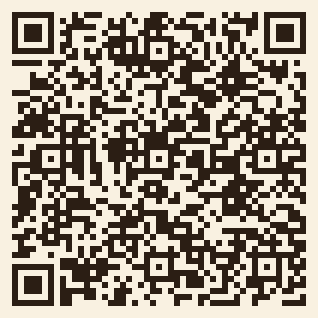 On a computer? Scan this with the Android phone to open the app’s Play Store page.
Updated 17 November 2026.
Still choosing an instrument? Compare first instruments for a child or use the grandparent gift checklist.